UE5 ColorTransfer plugin document
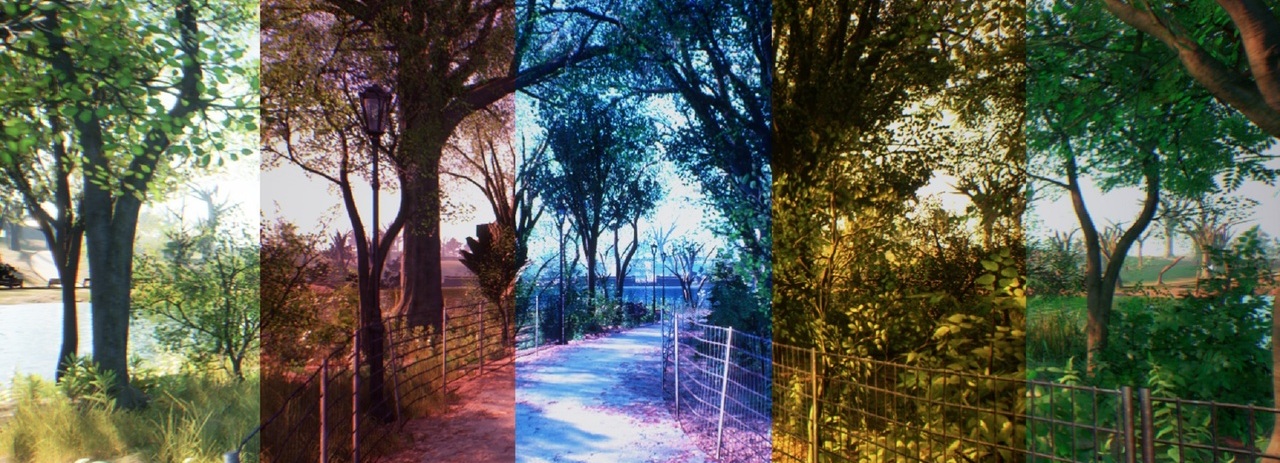
UE5 ColorTransfer plugin document
1. Introduction
ColorTransfer is an Unreal Engine plugin that performs real-time color transfer between images. Given a reference image, it transfers the color style to the scene viewport in real time.
It has the following features:
- Real-time color transfer applied as a post-process pass
- Reference image hot-swap at runtime via Blueprint
- EMA smoothing to suppress flicker
- Works in editor viewport, PIE, and packaged builds
- Support Android / iOS / Win64 / Linux / LinuxArm64 / Mac
1.1 Quick Start
1.1.1 Direct way
- Install the plugin and enable it in Plugins window
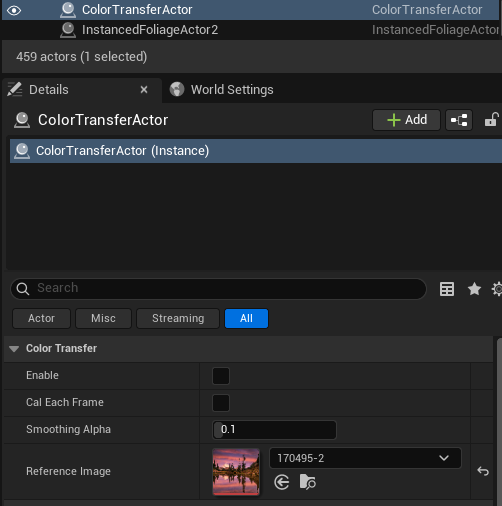
- Place a ColorTransferActor in the level (found in the Place Actors panel under VFX category)
- Assign a ReferenceImage texture to the actor
- Check Enable to activate the effect
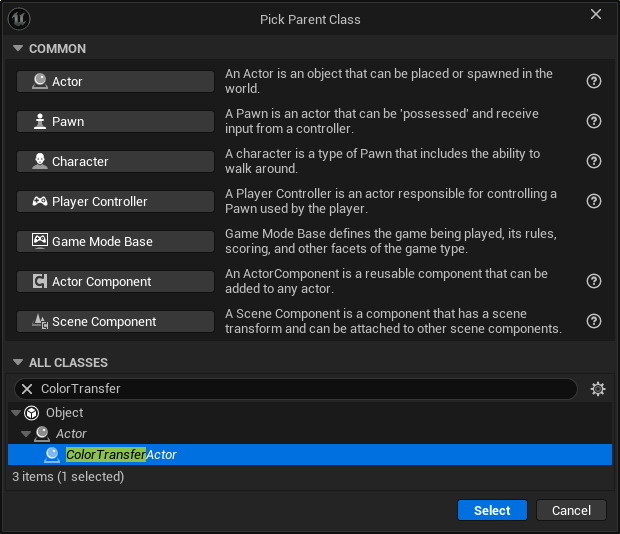
1.1.2 New BP inherent from ColorTransferActor
2. AColorTransferActor
Place a ColorTransferActor in your level. It drives the color transfer effect for the entire scene.
2.1 Properties
| Property | Type | Default | Description |
|---|---|---|---|
| Enable | bool | false | Toggles the effect on/off. Can be changed at runtime via SetEnable() |
| Cal Each Frame | bool | false | When true, reference stats are re-computed every frame (useful for animated reference textures). When false, stats are cached after first computation |
| Smoothing Alpha | float (0.0–1.0) | 0.1 | Smoothing factor for scene statistics. 0.0 = frozen, 1.0 = instant (may flicker). Recommended: 0.05 ~ 0.2 |
| Reference Image | UTexture2D* | nullptr | The reference image whose color style will be transferred to the scene |
2.2 Blueprint Functions
| Node | Signature | Type | Description |
|---|---|---|---|
| Set Enable | void SetEnable(bool bEnable) | BlueprintCallable | Enables or disables the effect at runtime |
| Set Reference Image | void SetReferenceImage(UTexture2D* NewImage) | BlueprintCallable | Swaps the reference image at runtime |
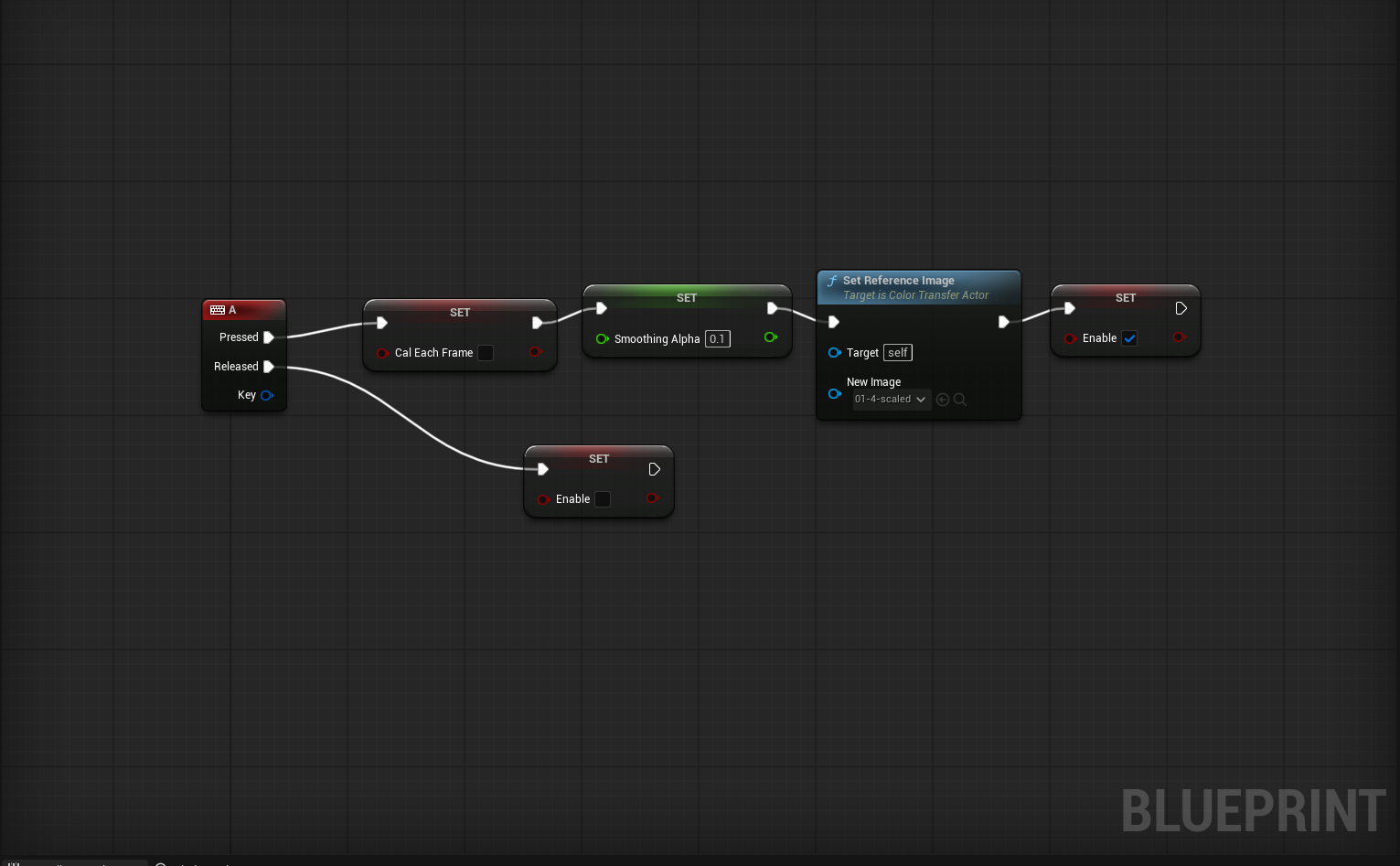
2.3 Typical Blueprint Usage
1
SetReferenceImage(NewStyleTexture) → SetEnable(true)
3. Reference Image Requirements
The reference image texture must meet these requirements:
| Requirement | Value |
|---|---|
| Format | RGBA8 |
| Compression | Uncompressed(RGBA8) |
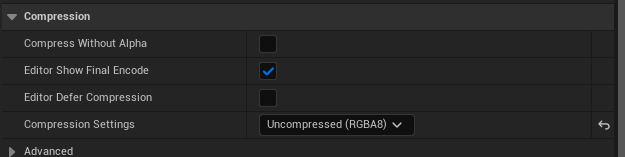
If the format is incorrect, the plugin will log a warning:
1
reference texture 'MyTexture' is not PF_B8G8R8A8 — import with no compression and no alpha override.
4. Logging
The plugin logs to the LogColorTransfer category. Verbose logs are disabled by default.
Enable verbose logging via console command:
1
Log LogColorTransfer Verbose
Or in DefaultEngine.ini:
1
2
[Core.Log]
LogColorTransfer=Verbose
5. Platform Notes
On mobile (Android / iOS), the transfer pass is applied after Tonemap instead of MotionBlur.
6. Troubleshooting
- Effect doesn’t appear: Ensure Enable is checked and a valid Reference Image (BGRA8, uncompressed) is assigned. Wait one frame after enabling.
- Flickering: Lower Smoothing Alpha (e.g.
0.05).
| Plugin Version: 1.0 | Engine Version: 5.7/5.6/5.5 | Platforms: Win64 / Linux / LinuxArm64 / Mac / iOS / Android |
This post is licensed under CC BY 4.0 by the author.